That approach creates delays, lost documents, and duplicated work. Caseworkers spend hours hunting for files instead of helping people.
The trust gap is real, too. In a 2026 global survey series, only 18% of respondents believed government cared about their experience, and just 27% believed it responded efficiently to changing needs.
This guide breaks down what government case management software actually is, its core features, who relies on it, and how to choose a platform that fits your agency's actual workload — not just its budget.
Key Takeaways
- Centralizes intake, workflow, and reporting in one secure system.
- Built-in compliance documentation and audit trails set it apart from standard CRMs.
- It cuts duplicate services, trims paperwork by up to 50%, and speeds coordination.
- Community programs often thrive with affordable, fast-deploying tools instead.
What Is Government Case Management Software?
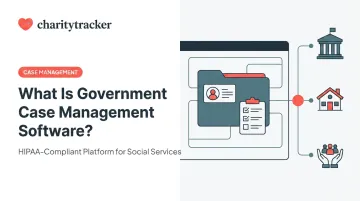
Government case management software is a centralized digital platform that helps public sector agencies manage a constituent case from start to finish: intake, assessment, service coordination, documentation, and resolution.
In government work, almost any tracked interaction becomes a "case." A benefits application, a licensing request, an investigation, a disaster relief intake form — each one needs a record, an owner, and a resolution path. That's what separates this software from generic productivity tools.
How it differs from a standard CRM:
- Tracks regulatory compliance, audit trails, and structured workflows tied to public accountability, unlike a sales CRM's focus on leads and pipelines.
- Requires documentation that holds up to a funder audit or public records request, not just a sales report.
- Builds workflows around eligibility rules and program requirements instead of conversion rates.
This isn't a niche category, either. According to Grand View Research, the global case management software market was valued at $7.32 billion in 2026 and is projected to reach $15 billion by 2026. Government use spans social services, licensing, law enforcement investigations, and disaster response, each with its own workflow logic.
The Case Management Lifecycle
Most government cases move through a consistent set of stages, mirroring the process outlined in the National Association of Social Workers' (NASW) case management standards:
- Outreach and engagement: connecting with the constituent and opening the case.
- Intake: capturing personal details, eligibility data, and documentation.
- Assessment and service planning: identifying needs and defining a plan with measurable objectives.
- Implementation: coordinating services, referrals, and benefits delivery.
- Resolution: closing or transitioning the case once the goal is met.
- Reporting and analytics: measuring outcomes and preparing compliance reports.

Software supports every stage by replacing manual handoffs with structured digital records that follow the case from one step to the next.
Core Features of Government Case Management Software
Government-grade case management platforms share a common set of capabilities, even when the specific case type varies widely.
Digital Intake and Smart Forms
Remote and self-service intake replaces paper applications with structured digital forms, digital signatures, and validation checks that catch errors before they become a caseworker's problem. Constituents can start an application from home, a kiosk, or a mobile device instead of waiting in line.
Workflow Automation and Centralized Records
Rules-based routing assigns cases to the right caseworker or department automatically, based on program type, urgency, or caseload. Paired with a single digital record per client, this eliminates siloed paper files and gives authorized staff real-time access to case history. Caseworkers no longer need to call around to find out who last helped a family.
Reporting, Data Sharing, and Security
- Compliance dashboards support grant and funder reporting, program outcome tracking, and audit readiness.
- Interagency referral networks, such as CharityTracker's Assistance Network, let nonprofit, faith-based, and government partners confirm whether a client already received help elsewhere before approving new assistance.
- Role-based access controls and HIPAA-aligned safeguards protect sensitive constituent data while still allowing the right people to see the right records.
Who Uses Government Case Management Software?
Government case management software serves a wide range of agencies, each with distinct workflow needs:
- State and county health and human services departments managing Medicaid, SNAP, and other benefits programs.
- Law enforcement and investigative units tracking evidence, reports, and court records.
- Licensing and permitting offices handling applications, inspections, and status updates.
- Disaster relief coordination teams screening survivors and avoiding duplicated assistance.
There's a distinct, growing category too: community-based government programs and cross-sector partnerships. Community action agencies, disaster relief coalitions, and faith-based ministries working alongside local government don't operate like a state IT department — and they shouldn't need to buy software like one.
Organizations such as Community Action Partnership networks and disaster relief coalitions like Austin Disaster Relief Network need platforms that deploy in days, not years, while still supporting interagency referrals and funder-grade reporting. That's a different procurement problem than a multi-year state enterprise system, one that calls for software built for speed and cross-agency collaboration rather than bureaucracy.

Benefits of Government Case Management Software
The case for switching from paper or spreadsheets comes down to measurable outcomes across several dimensions.
Fewer duplicate services and stronger fraud prevention. Shared, centralized records stop multiple agencies from unknowingly assisting the same constituent twice.
Organizations using CharityTracker report an average 91% reduction in service duplication and 18% average annual savings to assistance budgets. These figures come from internal platform data spanning over $1.36 billion in tracked assistance dollars across more than 2,300 cities.
Faster case resolution. Automated routing and self-service intake shorten wait times for benefits, permits, or relief assistance — constituents aren't stuck waiting for a file to physically move between desks.
Stronger compliance and audit readiness. Automatic audit trails and built-in reporting reduce the risk of losing funding over a failed audit or missing documentation, a real concern for programs tied to federal grant cycles.
Better interagency coordination. A 2026 study of 2-1-1 San Diego's Community Information Exchange connected 34 health and social service providers. Enrolled frequent callers saw a 26% reduction in EMS calls and a 9.6% hospital readmission rate, versus a 30% baseline for the comparison group (Center for Health Care Strategies).
Coordinated case data doesn't guarantee these results alone, but it's a documented enabler.
Improved staff morale. Less time spent hunting for paperwork means more time spent actually helping people, a shift that matters for caseworker retention in an already high-turnover field.
How to Choose the Right Government Case Management Platform
Match the platform to the actual work, not the biggest feature list. Evaluation should center on:
- Ease of implementation: low-code or no-code configurability that doesn't require a dedicated IT team.
- Total cost of ownership: including training, support, and any per-user fees over time.
- Security and compliance: appropriate for the case types you handle, from HIPAA-aligned safeguards to funder-specific reporting requirements.
- Scalability: room to add programs or partner agencies without a system overhaul.
Large state HHS systems often need heavy compliance certifications and years of integration work. Community-facing government programs and nonprofit-partnered initiatives generally need the opposite: something affordable and fast.
CharityTracker, for instance, starts at $60 a month for its Pro Plan and supports HIPAA-aligned data security. It's already in use by agencies and networks like Austin Disaster Relief Network, organizations that needed to be operational quickly, not after an 18-month procurement cycle.
A simple selection checklist:
- Define your case types and workflows first: don't shop before you know what you're solving for.
- Request a live demo using real scenarios from your agency, not a generic sales pitch.
- Confirm interagency referral and reporting support before signing anything.

Frequently Asked Questions
What legal case management software does the government use?
Legal and judicial case management differs from social services case management. Government legal teams typically use purpose-built systems, such as court CM/ECF platforms or dedicated legal case tools, that track dockets, filings, and case outcomes rather than constituent services.
What case management software do case managers use?
Case managers in social services, healthcare, and government generally use platforms combining client intake, case notes, service planning, and reporting. The specific choice depends on caseload type, agency size, and budget.
What are the four pillars of case management?
The commonly cited functions are assessment, planning, implementation/coordination, and evaluation/monitoring. Software supports each by capturing needs data, defining service plans, tracking delivery, and measuring outcomes.
What is the difference between government case management software and a CRM?
A CRM manages ongoing relationships and communications. Case management software manages the lifecycle of a specific case, with defined intake, workflows, compliance documentation, and resolution stages.
How much does government case management software cost?
Pricing varies widely. Community and nonprofit-facing platforms often start around $20-$60 per user monthly, while large state-level systems can run into tens or hundreds of millions in total contract value.
How long does it take to implement government case management software?
Lightweight, community-focused platforms can be operational within weeks. Large state systems integrating legacy infrastructure have taken several years in documented cases, such as California's multi-year CWS-CARES rollout.