This is where remote case management comes in. It’s not just about moving paperwork online; it's a coordinated strategy for delivering intake, assessment, referrals, and follow-up using tools like phone, text, video, and secure case management systems. When done right, a remote model can expand your reach and make services more accessible without sacrificing the personal connection, security, and accountability that define effective case management.
This article breaks down how your organization can build a remote program that works—for your clients and your team.
Key Takeaways
- Effective remote case management combines consistent human communication with a shared system of record, clear workflows, and diligent follow-up.
- Remote access can expand your service area, but it's crucial to retain hybrid or in-person options for clients who can't safely or reliably engage online.
- Strong privacy controls, clear consent procedures, defined staff roles, and established escalation plans are non-negotiable when staff and clients are in different locations.
- The goal isn't just to make contact; it's to track a client's progress toward stability, which requires a system built for measuring outcomes over time.
What Remote Case Management Involves
In any context, case management is a full-loop practice of planning, advocating for, and monitoring coordinated services to meet a client's needs. According to the National Association of Social Workers (NASW), this requires ongoing assessment, goal-setting, and follow-through.
When you move this process online, the core responsibilities of the case manager remain the same: understand a client's needs, coordinate support, maintain communication, document every action, and help the client work toward their goals.
The Full Range of Remote Interactions
Remote case management covers the entire client journey, just without the physical office. This includes:
- Secure online forms or self-service kiosks for client intake
- Needs assessments by phone or video
- Text messages and secure portals for reminders and quick check-ins
- Digital tracking of referrals, appointments, and benefits applications
- Regular check-ins to measure progress against goals
- Central logging of every interaction, referral, and outcome
Unlike a simple referral directory or a one-off virtual appointment, remote case management means ongoing ownership of the case. Referrals get completed, needs get met, and clients do not fall through the cracks.
Who Benefits and When to Be Cautious
Remote services can be a lifeline for clients in various programs, including community assistance, housing and food support, healthcare navigation, youth services, and veteran support. It's especially powerful for disaster response and multi-agency programs where speed and coordination are critical.
However, remote service isn't a universal solution. It may be unsuitable or require adaptation in situations involving:
- Urgent crises or safety concerns, where a remote assessment may not fully gauge risk in domestic violence or child welfare cases
- Limited digital access, when a client lacks reliable internet or a private place to talk
- Situations that need a physical assessment, such as certain health or housing checks
- Language or accessibility barriers that technology can make harder, not easier
A dignity-centered approach puts the client's preferences, consent, and goals first. Use remote tools when they expand access; switch to hybrid or in-person care when safety, access, or assessment quality demands it.
The Remote Case Management Workflow
A successful remote program runs on a clear, repeatable workflow that everyone on the team understands and follows. It maps the client's journey and defines who is responsible for each step.

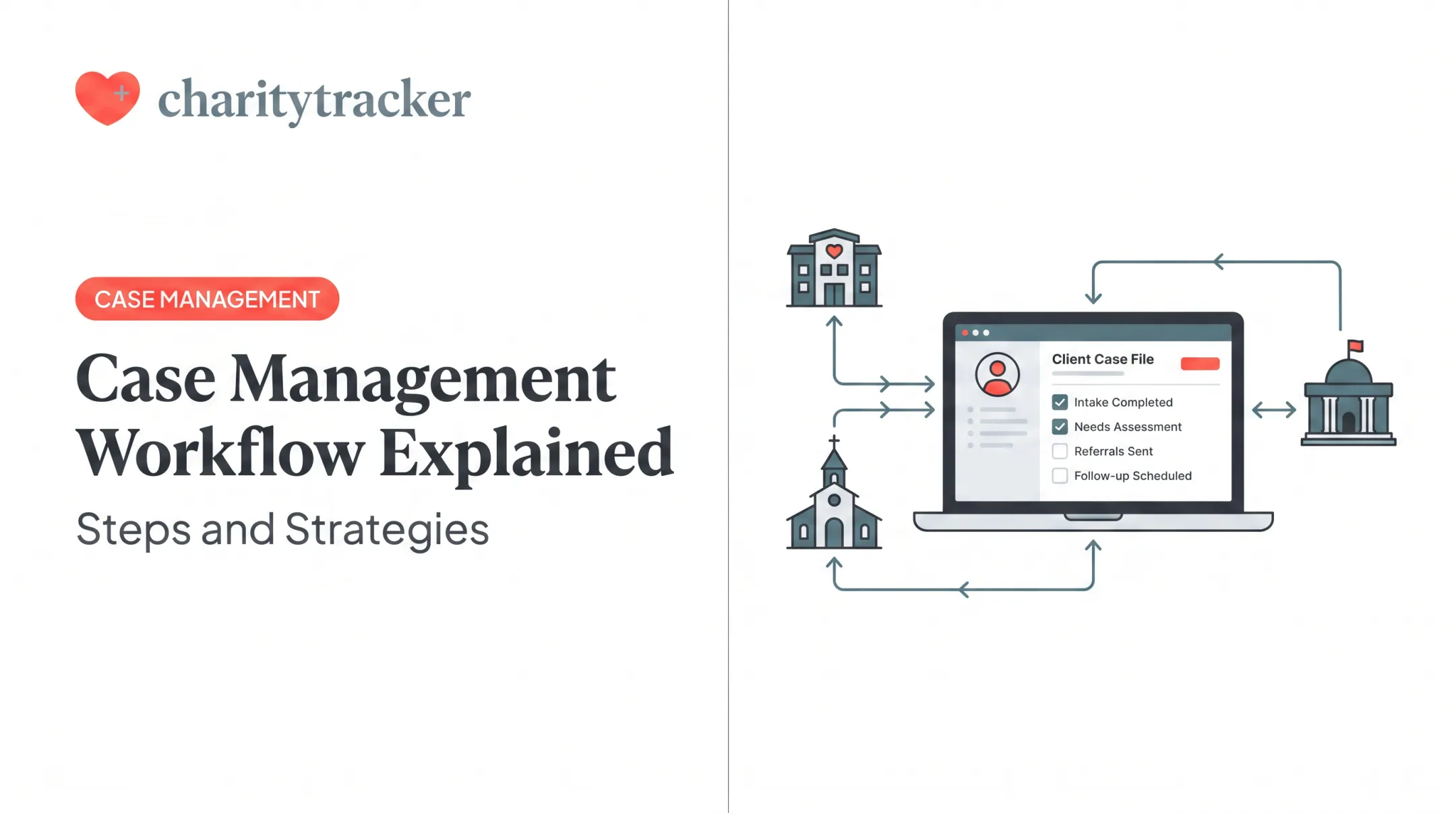
Referral and Intake: The process begins when a client is referred or seeks help. Secure online forms, phone support, or staff-assisted entry keep clients with limited digital literacy included. Platforms like CharityTracker offer remote and kiosk-style intake so clients can enter information from anywhere, cutting wait times and manual data entry.
Eligibility and Assessment: Once intake is complete, the case manager assesses needs and determines program eligibility through a structured phone or video assessment. All information goes into the client's central record.
Goal Setting and Service Coordination: The case manager and client work together to set clear, measurable goals. The case manager then coordinates with partner agencies to connect the client with the right resources, whether it's a food pantry, a housing provider, or a job training program.
Consistent Documentation and Follow-Up: This is where many remote programs falter. Document every phone call, text message, and completed referral in a shared platform so the full team sees client history and avoids duplicate assistance. Set a cadence for initial outreach, missed contacts, and escalation triggers.
Outcome Tracking: Effective programs track whether the client's situation improves over time. A housing program might track whether a client remains housed 12 months after assistance, a metric used in HUD-funded demonstration projects. Built-in tools like CharityTracker's Changes Over Time Report help prove impact to funders and improve services.
Technology, Privacy, and Team Coordination
The right technology is the backbone of any remote case management program. Privacy rules and team workflows matter just as much—without them, even strong tools create risk and confusion.
Essential Technology Capabilities
Your remote case management system should support:
- Centralized client records as one source of truth for history, needs, and interactions
- Configurable digital intake and assessment forms tailored to your programs
- Task and referral tools that assign work, track partner handoffs, and set follow-up reminders
- Secure messaging with clients and partners that protects sensitive information
- Funder-ready reporting for grants, HUD/VOCA submissions, and internal performance reviews
- Cloud remote access so authorized staff can work securely from approved locations
Platforms like CharityTracker centralize client records, support remote intake, enable secure inter-agency referrals, and produce the reports funders such as HUD and VOCA expect.
Navigating Privacy and Security
Protecting client data is non-negotiable. Which rules apply—HIPAA, 42 CFR Part 2, VOCA, or others—depends on your funding, services, and data types. No single framework covers every nonprofit.

Regardless of the specific regulations, your program must have strong safeguards in place:
- Least-privilege access so staff see only what their role requires
- Strong passwords plus multi-factor authentication to block unauthorized logins
- Documented informed consent before any information is shared
- Private, secure internet connections for remote staff—not public Wi-Fi
- Audit trails that log who viewed or changed records and when
Keeping the Team Coordinated
Technology and privacy controls only work if the distributed team stays aligned. Shared dashboards, alerts, and standardized notes help supervisors catch overdue follow-ups, uneven caseloads, and service gaps before clients fall through the cracks.
Building a Remote-Ready Program
Transitioning to a remote or hybrid model shouldn't happen overnight. A thoughtful, phased approach ensures you bring your staff, clients, and partners along with you.
Start with a Service and Workflow Audit
Before you choose a tool, map your current process.
- Where are the bottlenecks?
- Which steps are still paper-based?
- Which referrals are most difficult to track?
- What information do multiple agencies need to share?
This audit will reveal the most urgent problems that technology needs to solve.
Plan a Phased Implementation
Instead of a big-bang launch, roll out your remote program in stages.
- Configure your case management system and pilot it with a small client group and one or two partner agencies.
- Train staff on the platform and on remote practice skills—video listening, home-office privacy, and secure documentation.
- Explain the new remote options to clients and collect their feedback early.
- Adjust from pilot feedback, then expand the program in stages.
CharityTracker pairs new users with customer success and implementation support through setup, training, and expansion.
Define Your Operating Standards
Before you launch, agree on clear operating rules.
- Response time for new client requests (for example, same business day)
- Required fields in every case note so records stay complete across workers
- Primary case owner for each client, with a named backup
- Triggers that escalate a case to a supervisor
- Situations that automatically shift a client to in-person support
Written standards keep remote and hybrid teams aligned when staff, partners, and clients are not in the same room.
Benefits and Challenges of Serving Clients Remotely
A remote service model expands who you can reach, but it also introduces risks you need to manage deliberately.
The Benefits
- Broader Geographic Reach: Serve clients who live too far to travel to your office.
- Fewer Barriers for Clients: A 2021 federal study found that virtual services helped clients overcome transportation and child-care barriers.
- Faster Information Sharing: Real-time, shared data helps partner organizations coordinate more effectively and avoid duplicating services.
- Improved Visibility: Centralized data shows your community's needs and your program's impact, so case workers can assist clients from anywhere.
The Challenges and How to Mitigate Them
- The Digital Divide: Not everyone has reliable internet or a suitable device. A 2024 Pew Research Center report found that only 57% of adults in households earning under $30,000 have home broadband, compared to 95% in households earning over $100,000.
- Offer phone and in-person alternatives so broadband is never the only way to get help.
- Privacy Risks: It can be hard for clients to find a private, safe space to talk at home.
- Verify the client's identity, confirm they are in a safe place to talk, and document consent for the remote conversation.
- Difficulty Assessing Situations: It's harder to read body language or assess a person's living conditions through a screen.
- Train staff to listen for subtle cues and set clear protocols for when an in-person visit is required.

Judge remote case management by client access, dignity, safety, and outcomes—not by virtual contact volume alone.
A Coordinated Model for Modern Service Delivery
Remote case management is a coordinated service model—built on clear processes, secure technology, and steady human follow-through. When you leave siloed spreadsheets and paper files behind, your team can reach more clients and deliver care that is easier to track and defend.
Start by mapping the client journey and marking where friction shows up today. Then:
- Choose secure tools your staff will actually use
- Assign clear ownership for intake, follow-up, and reporting
- Pilot one client-centered workflow before you scale
If you need one place for client records, remote intake, inter-agency referrals, and funder-ready reports, see how CharityTracker can support that model.
Frequently Asked Questions
What does a remote case manager do?
A remote case manager assesses client needs, coordinates services, communicates with clients and partners, and tracks progress toward goals using secure digital tools. The role matches in-person case management; only the work location changes.
Can you do case management from home?
Yes, many case management tasks can be done from home if the organization provides a secure system, clear procedures, and proper supervision. However, programs should always maintain options for in-person support when a client's situation requires it.
What technology is needed for remote case management?
Essential technology includes a secure, centralized case management database, reliable communication tools (phone, video, text), and features for digital intake, task tracking, and reporting. All devices and connections must be secure to protect client data.
How do remote case managers protect client confidentiality?
They use layered safeguards: informed consent, identity verification, role-based software access, and secure communication channels. Staff also train on privacy rules such as HIPAA when those rules apply.
Is remote case management effective for every client?
No. Remote support improves access for many clients, but it should be adapted or paired with in-person help when safety risks, technology barriers, or complex needs require a physical assessment.
How can organizations start a remote case management program?
A good start involves auditing your current workflow to find gaps, then launching a small pilot with a few staff and clients. Define documentation standards, train staff, gather feedback, and choose a secure platform that supports your full workflow.